Download the App
Setup Instructions
Option 1: Add from ThinLine Radio (Recommended)
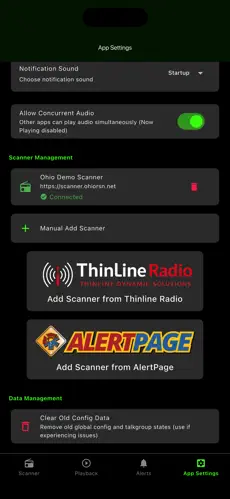
Tap App Settings
Under Scanner Management, tap Add Scanner from ThinLine Radio
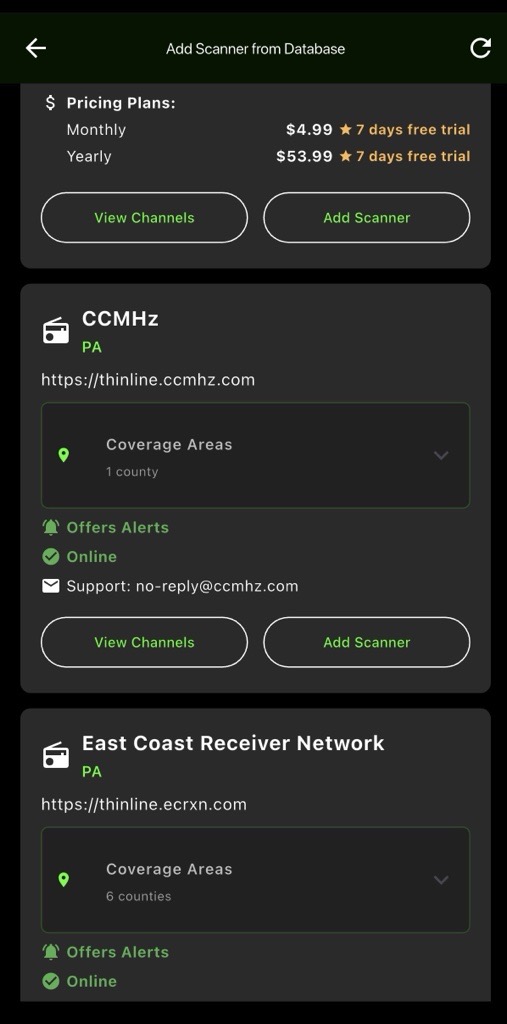
Find and select CCMHz Tap Add Scanner Enter your login credentials
- If you don’t have an account, tap Register to create one
Tap Add Scanner to complete setup
Option 2: Manual Add (Requires Existing Account)
Tap App Settings
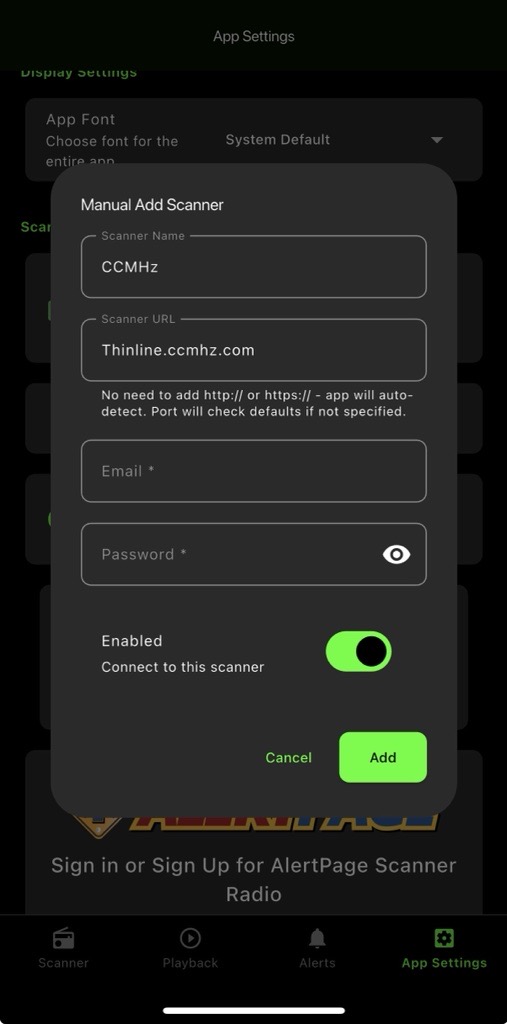
Under Scanner Management, tap Manual Add Scanner Enter the following:
- Scanner Name: CCMHz
- Scanner URL: thinline.ccmhz.com
Enter your email and password
(You must already have an account for this method)
Tap Add